
Your phone is often in another room when a habit happens. You finish a run, a glass of water, ten minutes of stretching on the floor, and the moment to mark it passes before you find the phone. Your watch is already there.
A habit tracker on Apple Watch closes that gap. You mark the habit the moment it’s done, feel a tap on your wrist, and see your streak every time you raise your arm. Here is what to look for in an Apple Watch habit tracker and how to set one up.
Why track habits on your wrist
- It’s there at the moment. Marking a habit right after doing it keeps the record honest and turns the tap into the end of the habit, not a chore for later.
- You see it without looking for it. A complication on the watch face shows your streak dozens of times a day. Seeing progress helps: a 2016 meta-analysis by Harkin and colleagues in Psychological Bulletin found that monitoring progress makes people more likely to reach their goals.
- It works with your hands full. One tap, no unlocking, no searching through apps.
What to look for in an Apple Watch habit tracker
- Marking on the watch itself, not just reading what you marked on the phone.
- A complication for the watch face, so the streak is visible without opening anything.
- Sync with iPhone, so a habit marked on the wrist shows up everywhere, and the other way round.
- A short list. A watch screen is small; a tracker that suits it keeps your habits few and clear.
How to track a habit on Apple Watch with Ripply
- Install Ripply on your iPhone and create your habit there. The watch app installs with it, or you can find it in the App Store on your watch.
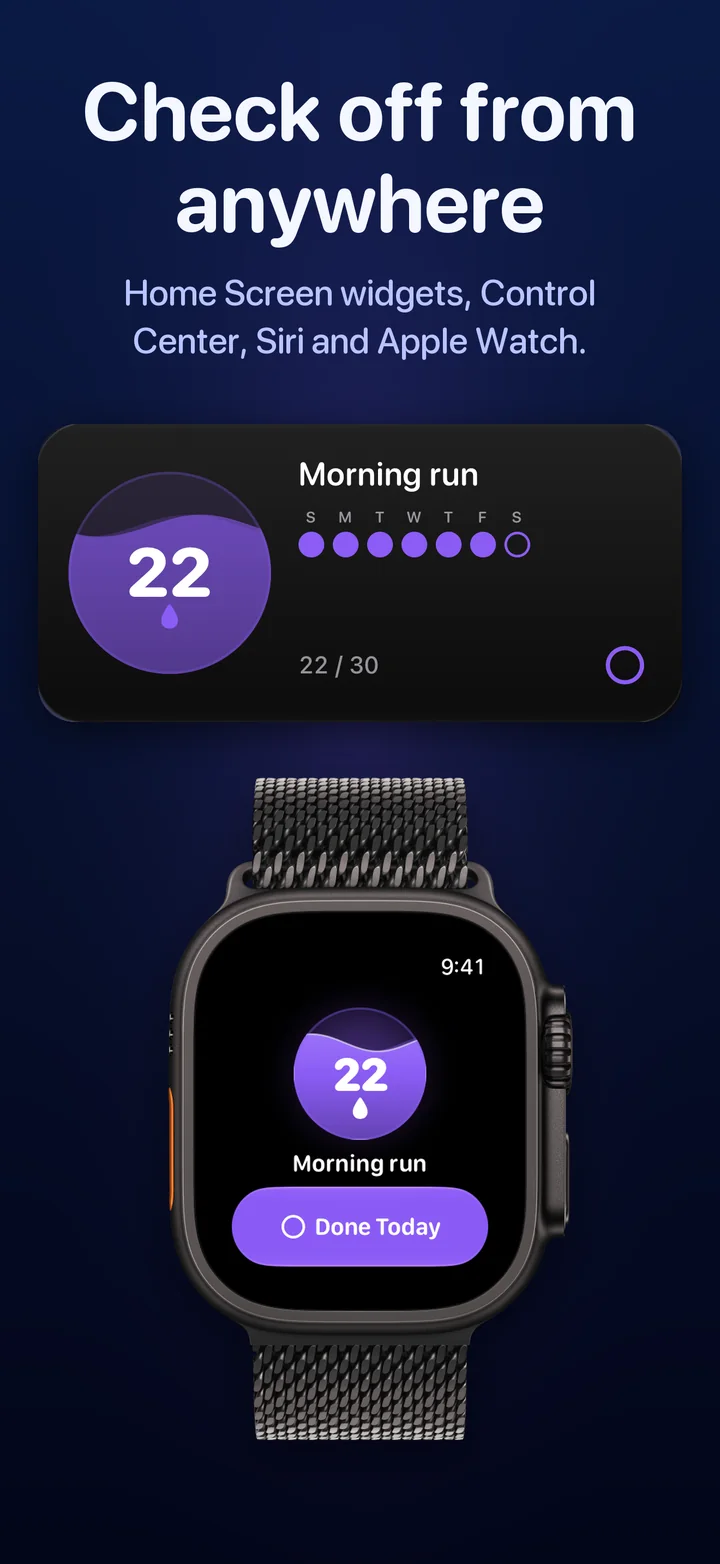
- Open Ripply on your Apple Watch. Each habit has its own page with its water and streak; with several habits, turn the Digital Crown to move between them.
- Tap Done Today when the habit is done. A short tap on your wrist confirms it, and the iPhone, widgets and watch all update.
Put your streak on the watch face
- Touch and hold the watch face, then tap Edit.
- Swipe to Complications and tap the slot you want.
- Choose Ripply. Depending on the face, it shows a ring with your streak, a line with your habit and its days, a corner, or a short line of text.
- Press the Digital Crown to save.
The same rectangular view also works in the Smart Stack: turn the Digital Crown from the watch face and add Ripply there.
Tips for the watch
- Mark it where it happens. After a run, the watch is the first screen you see. Make the tap part of finishing.
- Use a face you see often. A complication on a face you rarely use is a cue you never get.
- Keep the phone for the bigger things. Creating habits, goals and the calendar live on iPhone; the watch is for the daily tap.
Questions people ask
Can I mark habits on Apple Watch without opening my iPhone?
Yes. Tap Done Today in the watch app and the day is marked. The iPhone app and its widgets catch up on their own.
Does Ripply show my streak on the watch face?
Yes. Add Ripply as a complication: circular, rectangular, corner and inline styles are available, depending on the watch face.
Can I track habits on Apple Watch for free?
Ripply is free to download, and the Apple Watch app and complications are included, with no subscription and no ads.
Track your habits on Apple Watch with Ripply
Ripply is a habit tracker for iPhone and Apple Watch where every habit is water you watch fill up, one day at a time. Mark the day on your wrist, from a Home Screen widget or with Siri, and the water rises toward your goal. Our guide to the iPhone habit tracker widget covers the phone side.
Five habits at most, each with its own goal, freezes that save a streak after a missed day, and no account, no ads and no tracking.
 Ripply
A free habit tracker for iPhone and Apple Watch. Set a goal of 7 to 100 days, mark each day in a second, and keep your streak with freezes.
 More about Ripply →